‹ All guides
For golfers
Start your competition round
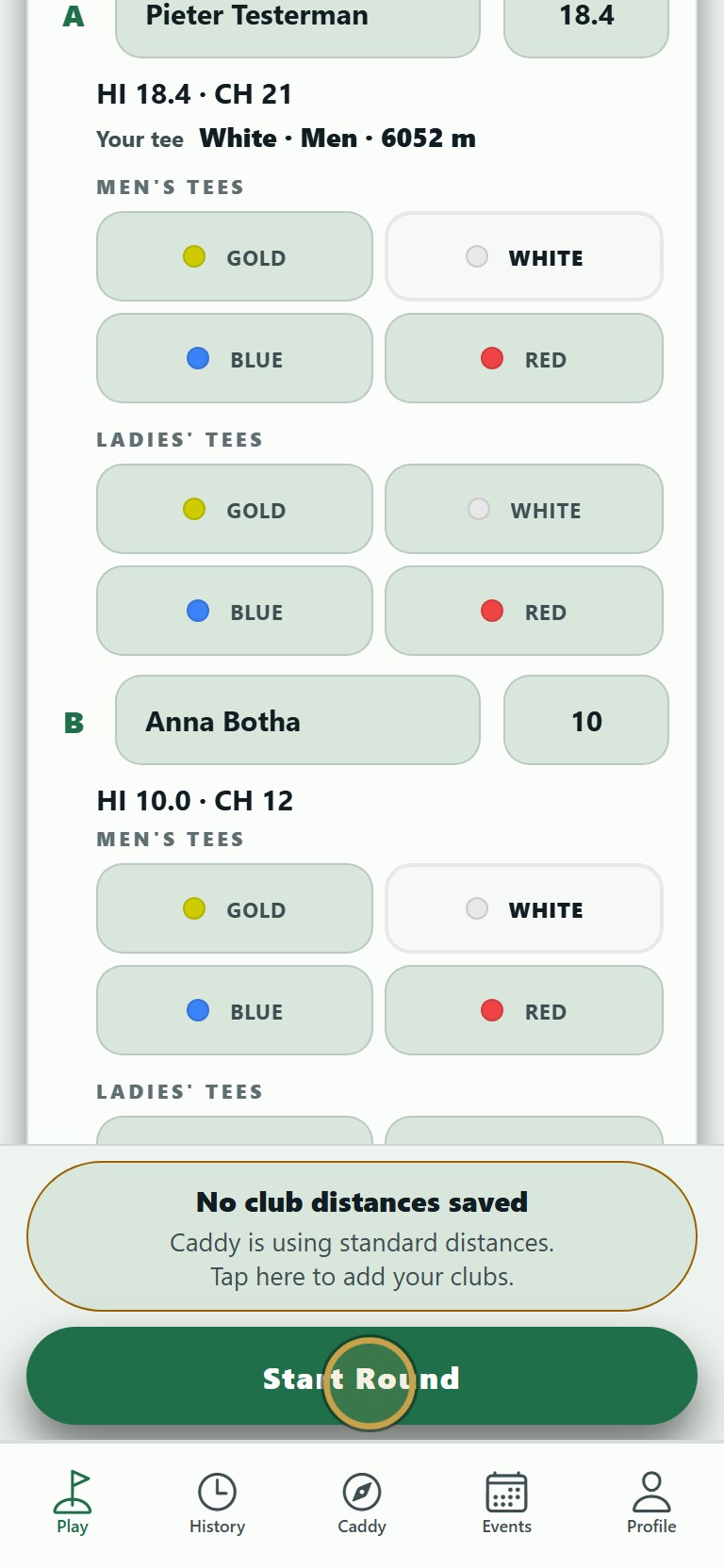
Your group, format and handicaps come up as the organiser set them. You only tap Start.
Filmed 3 October 2026 · app version 1.0.5 · 21 seconds
1Open Events and tap your competition.
No sound. The words are under the clip.
The steps
- 01
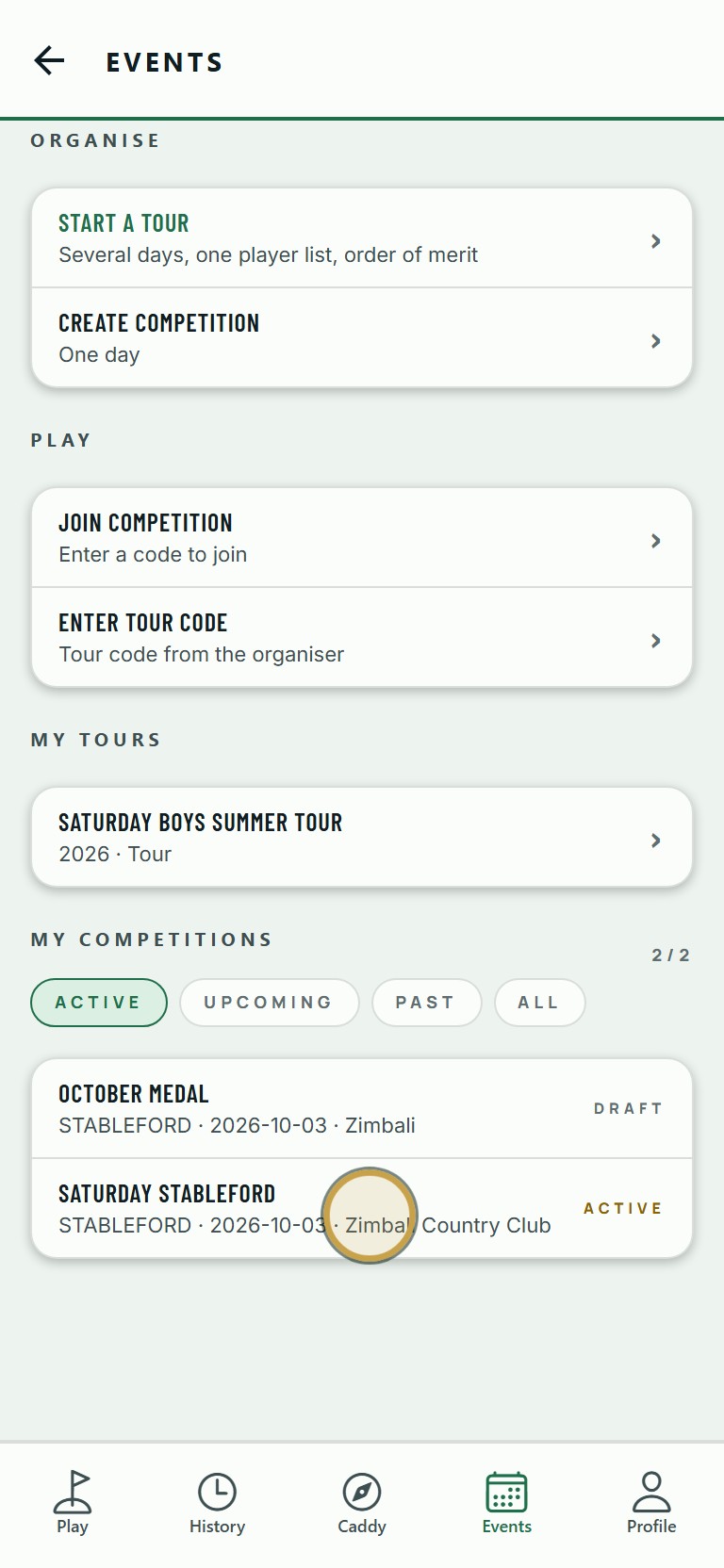
Open Events and tap your competition.
- 02
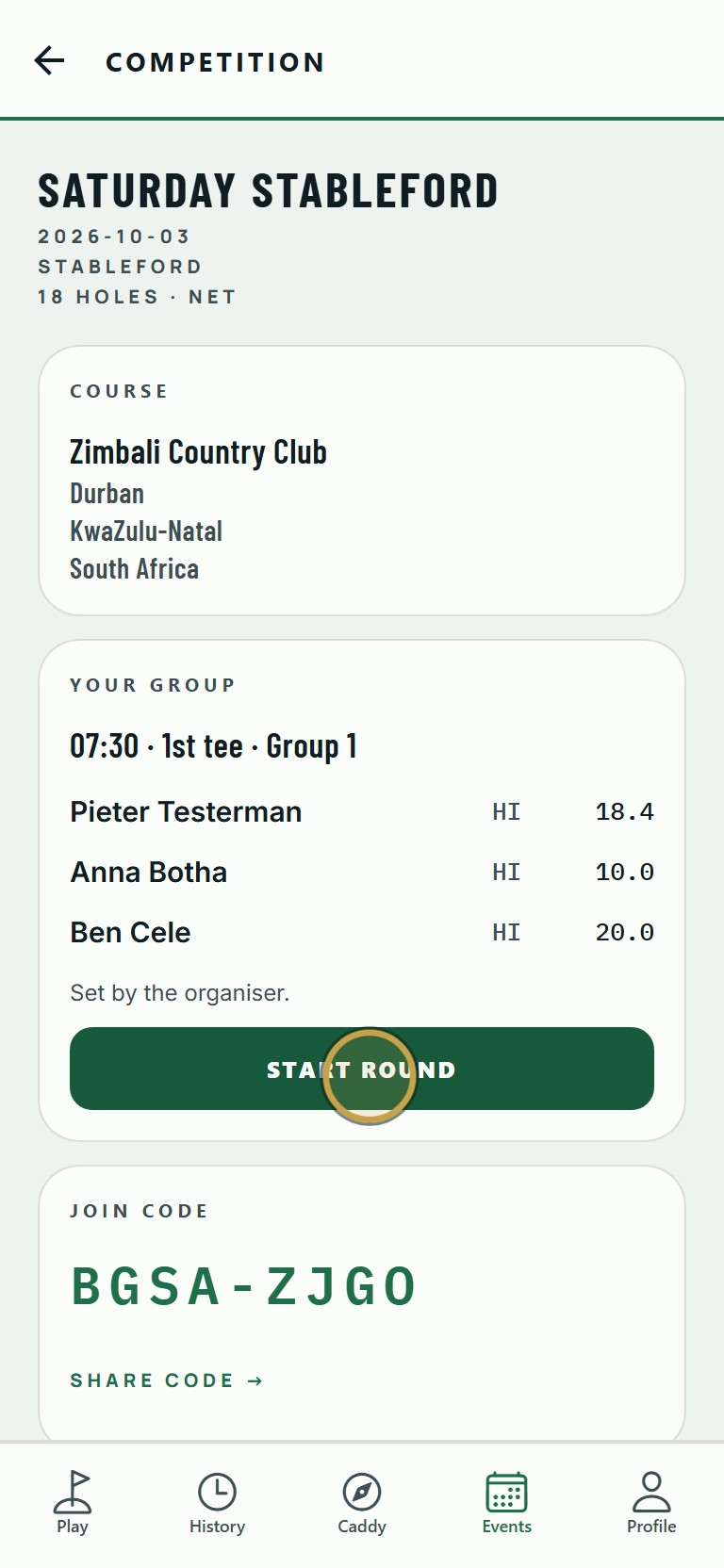
Check your group and tee time, then tap Start Round.
- 03
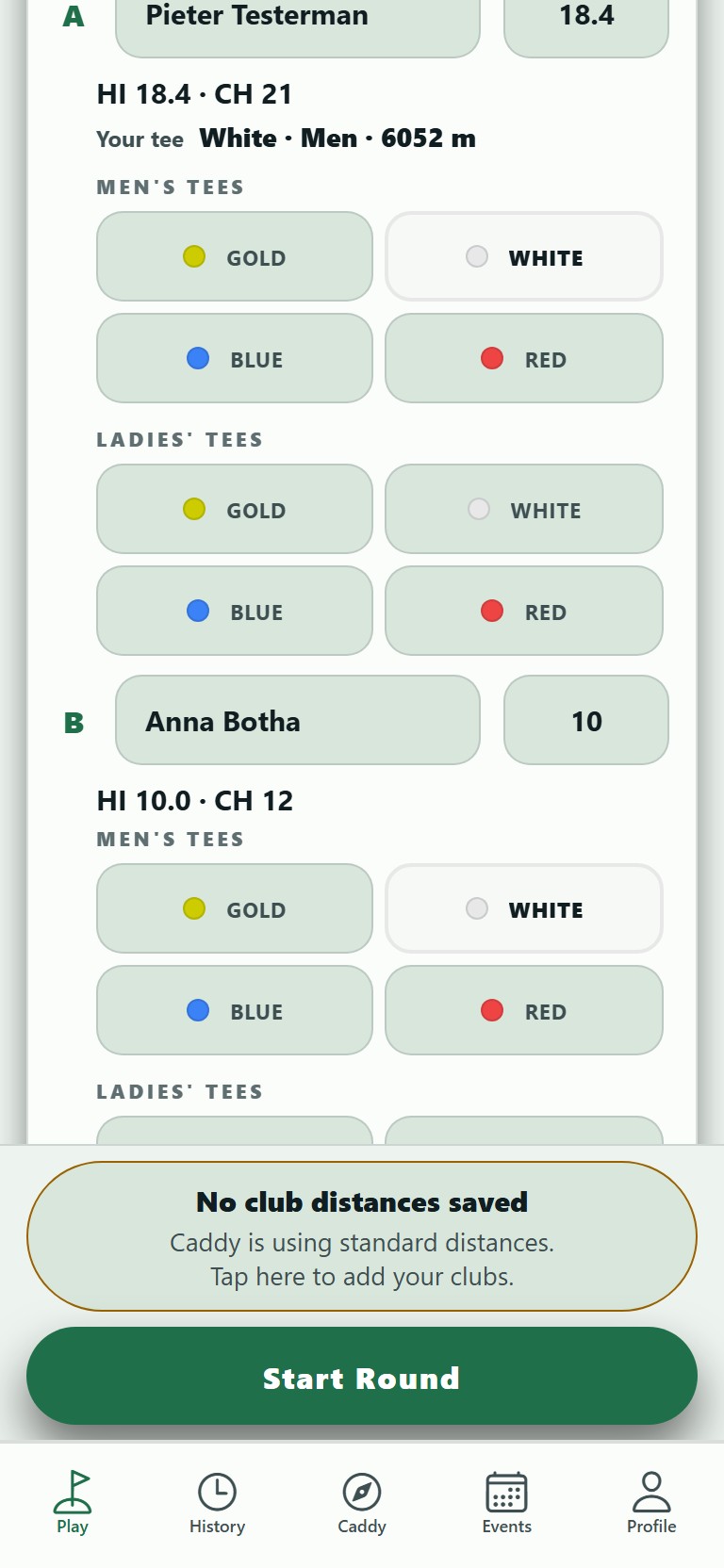
The players, handicaps and format are already filled in. The organiser set them, so they cannot be changed here.
- 04
Tap Start Round. The round opens on your starting hole.