
‹ All guides
For golfers
Join a competition with a code
The organiser gives you a code. Enter it and you are in your group.
Filmed 3 October 2026 · app version 1.0.5 · 26 seconds
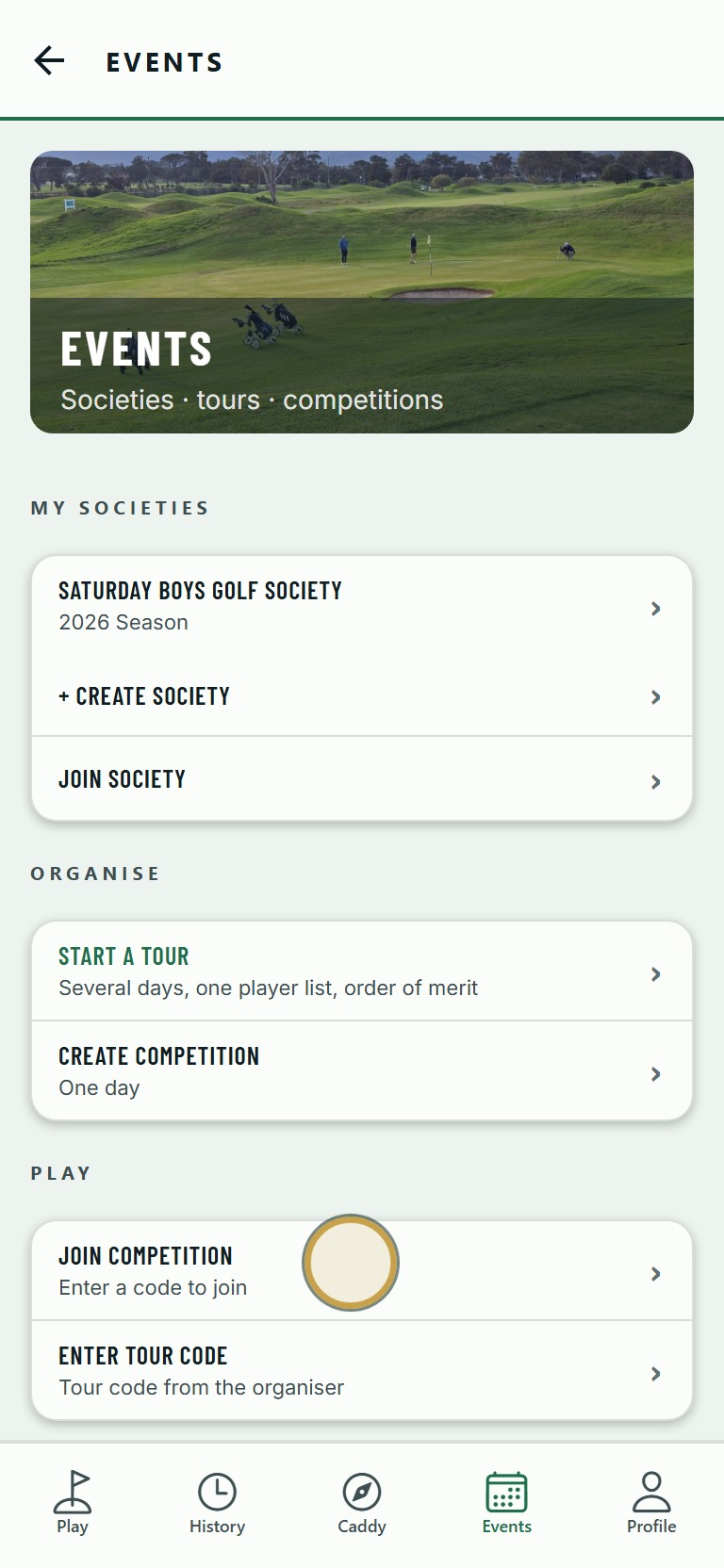
1Open Events and tap Join Competition.
No sound. The words are under the clip.
The steps
- 01
Open Events and tap Join Competition.
- 02
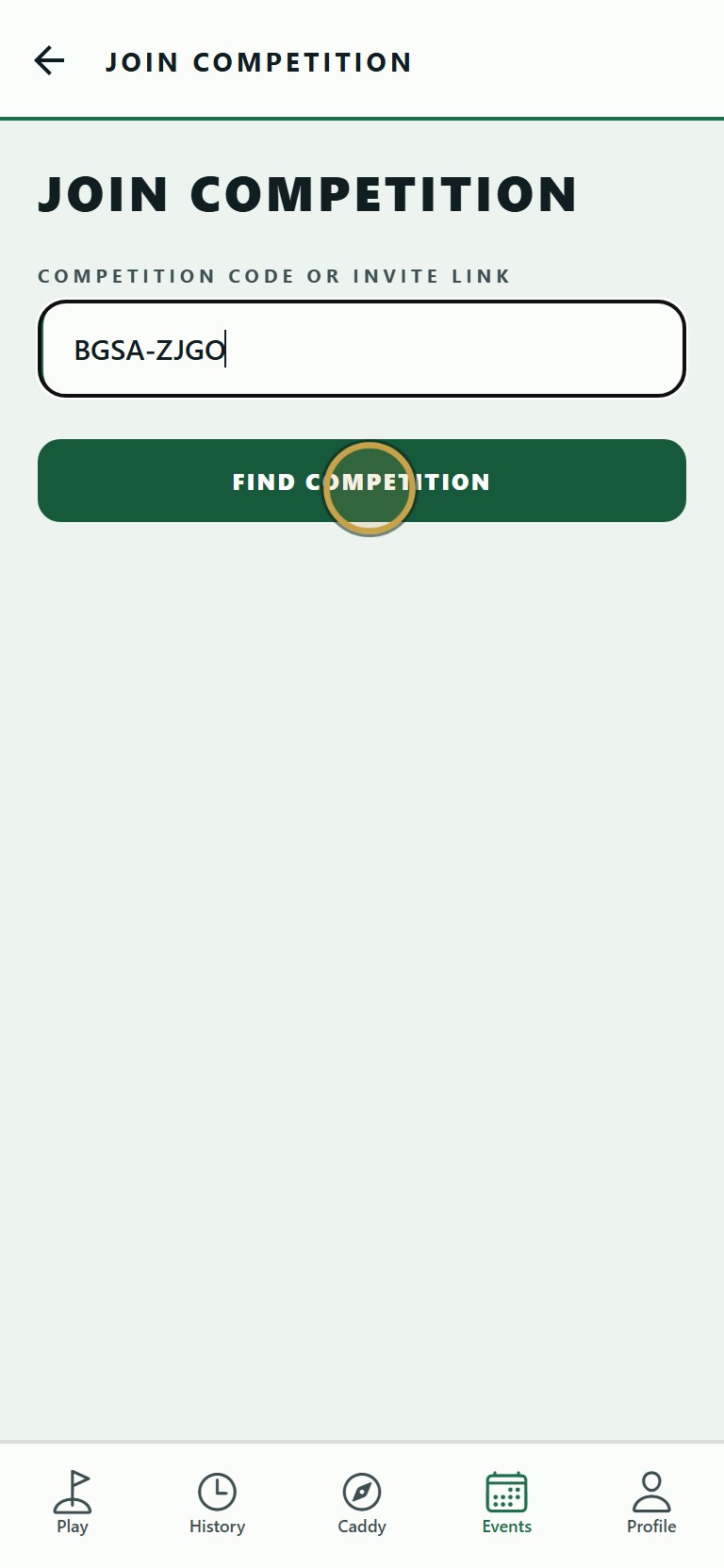
Type the code from the organiser, then tap Find Competition.
- 03
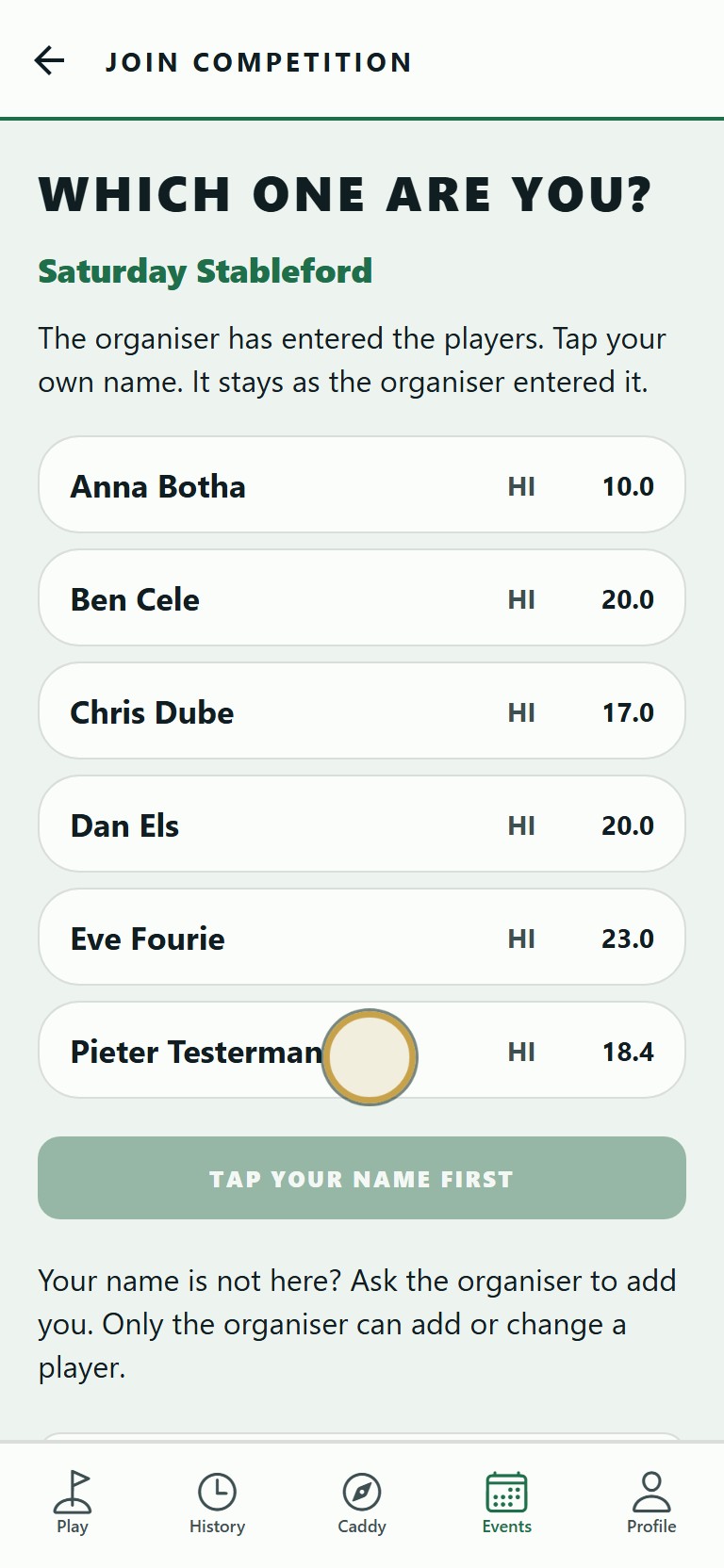
Tap your own name, then tap the green button to confirm it is you.
- 04
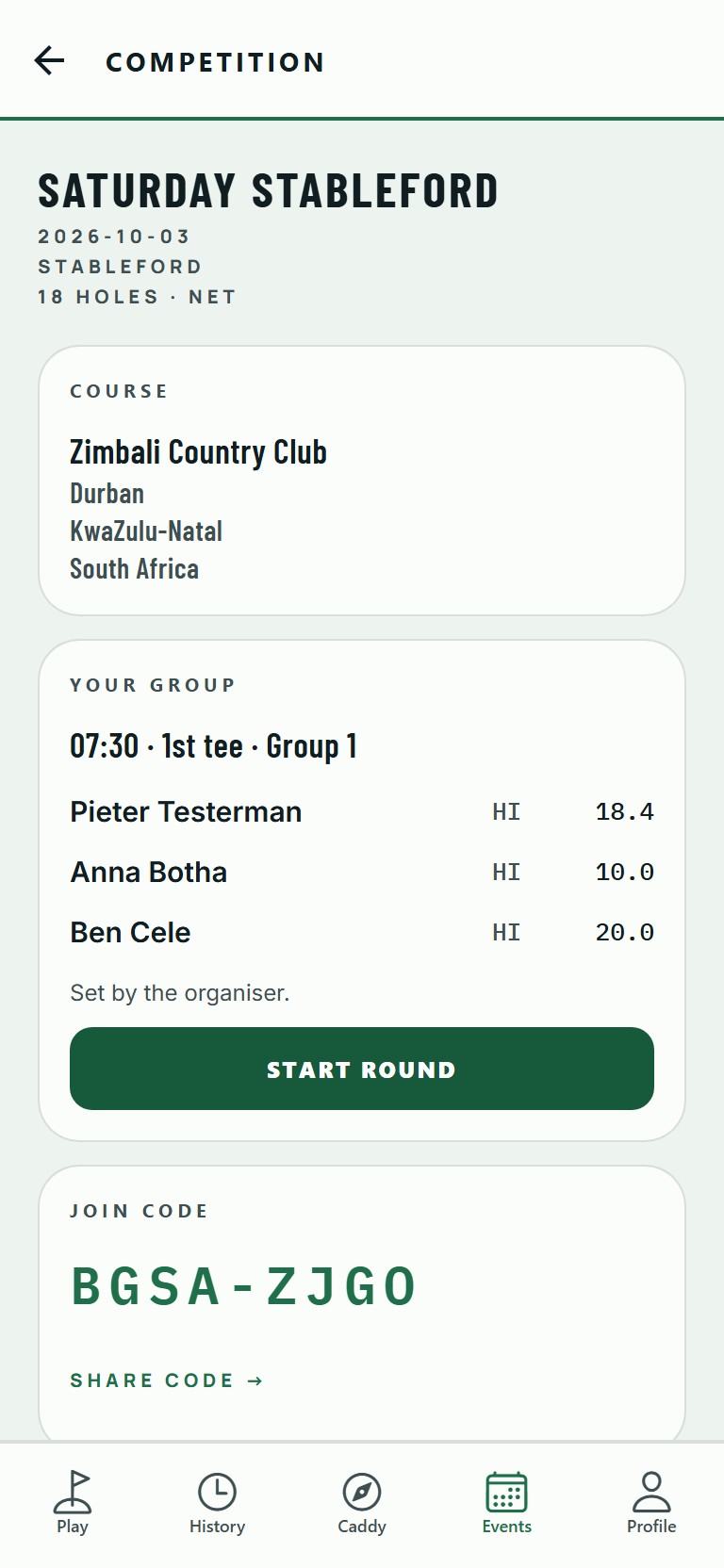
You are in. Your group, tee time and starting hole are set by the organiser.
Your name is not on the list? Ask the organiser to add you. Only the organiser can add or change a player.